
XnView: Free Batch Image Processing And Viewer Software
Not just an image viewer


What and why XnView?
It is a free image viewer. But it can do a lot more than that. In my opinion, the power lies in the capabilities to perform single or multiple actions on many image files with the Batch convert function.
Do you have lots of images to process, edit, or manage?
For batch image manipulation, my current top recommendation is XnView (GUI-based). It has lots of processing functions to offer, easy to use, and cross-platform.
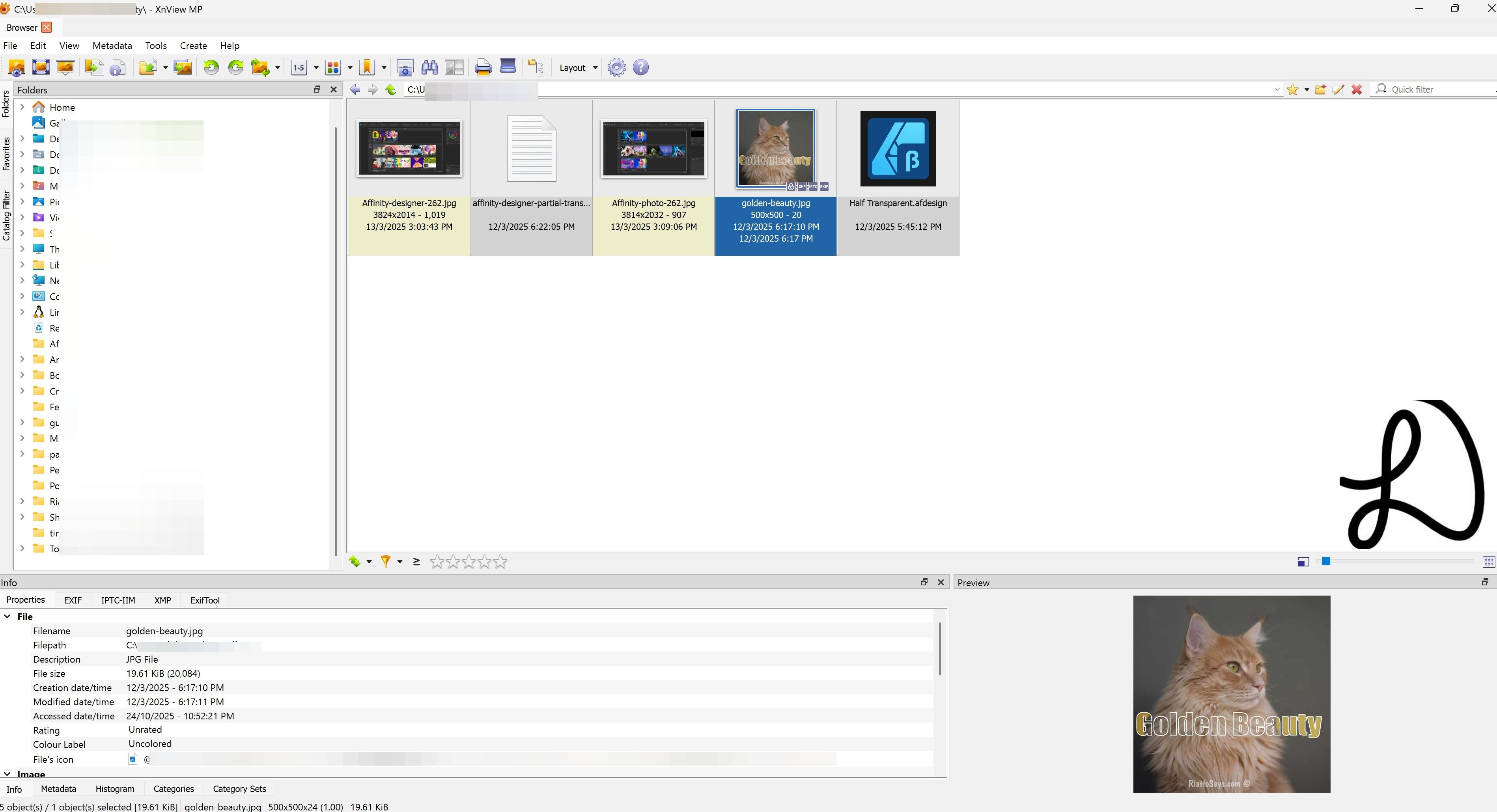
One can quickly preview the image and see the properties e.g. pixel height and width.
Compared to command-line tools like Magick Image, which itself is powerful and stable as well, XnView is easier with a graphical user interface and saves times for common general image purposes, single or batch. The thing with XnView is that I do not have to remember complex arguments for substantial length of time before quickly processing images again.
It is easy to add different functions for steps and it can remember what was last used and boxes to enable or disable that step/s. As displayed below, it has a lot of actions that can be done to an existing image/s and once you enabled that action, a preview will show on the right - this is pretty useful before you apply the set of actions to numerous images.
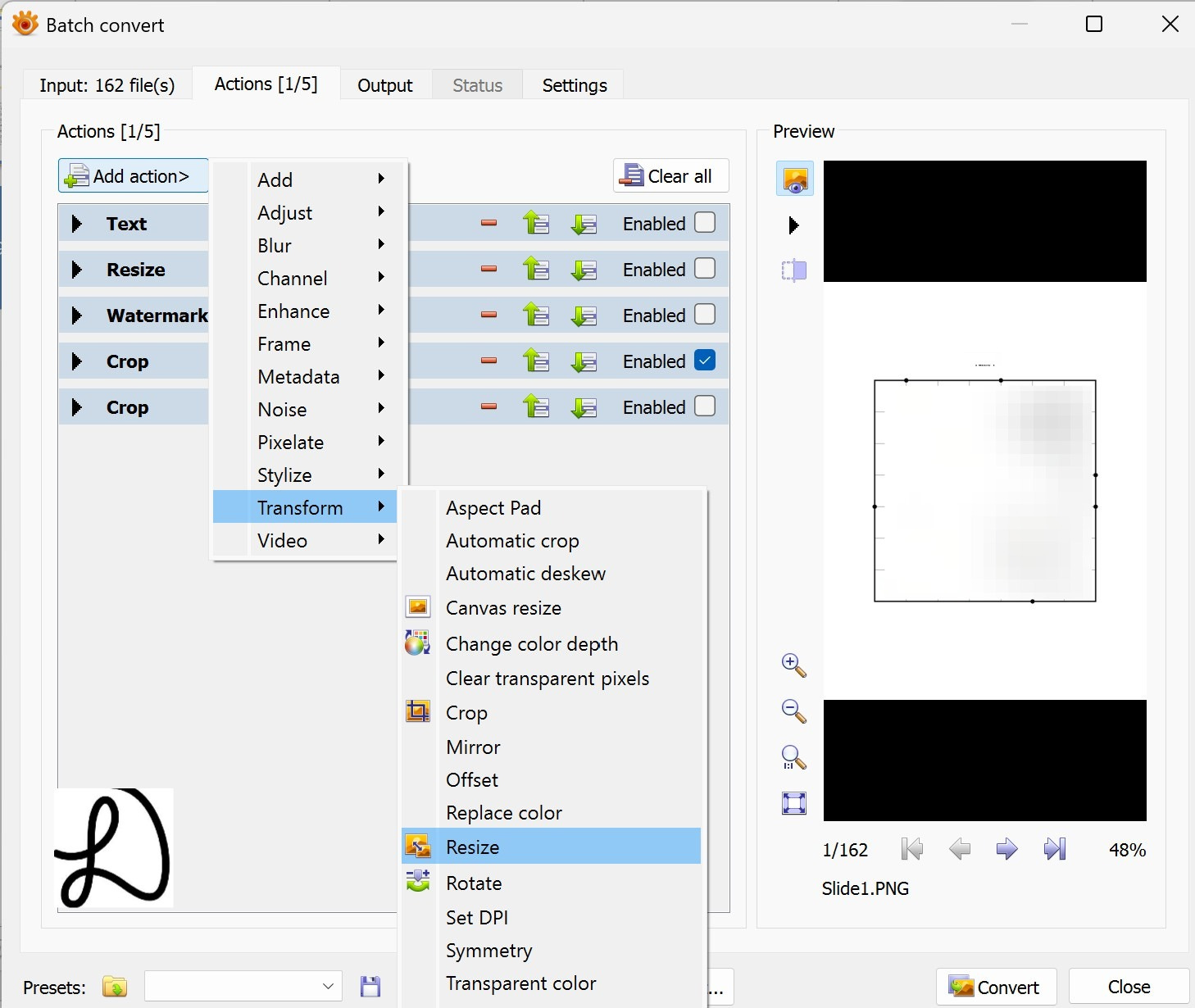
What are some useful XnView functions?
For example, we can add a text overlap, resize, watermark with an image, and crop the top and bottom to each and every image in the folder.
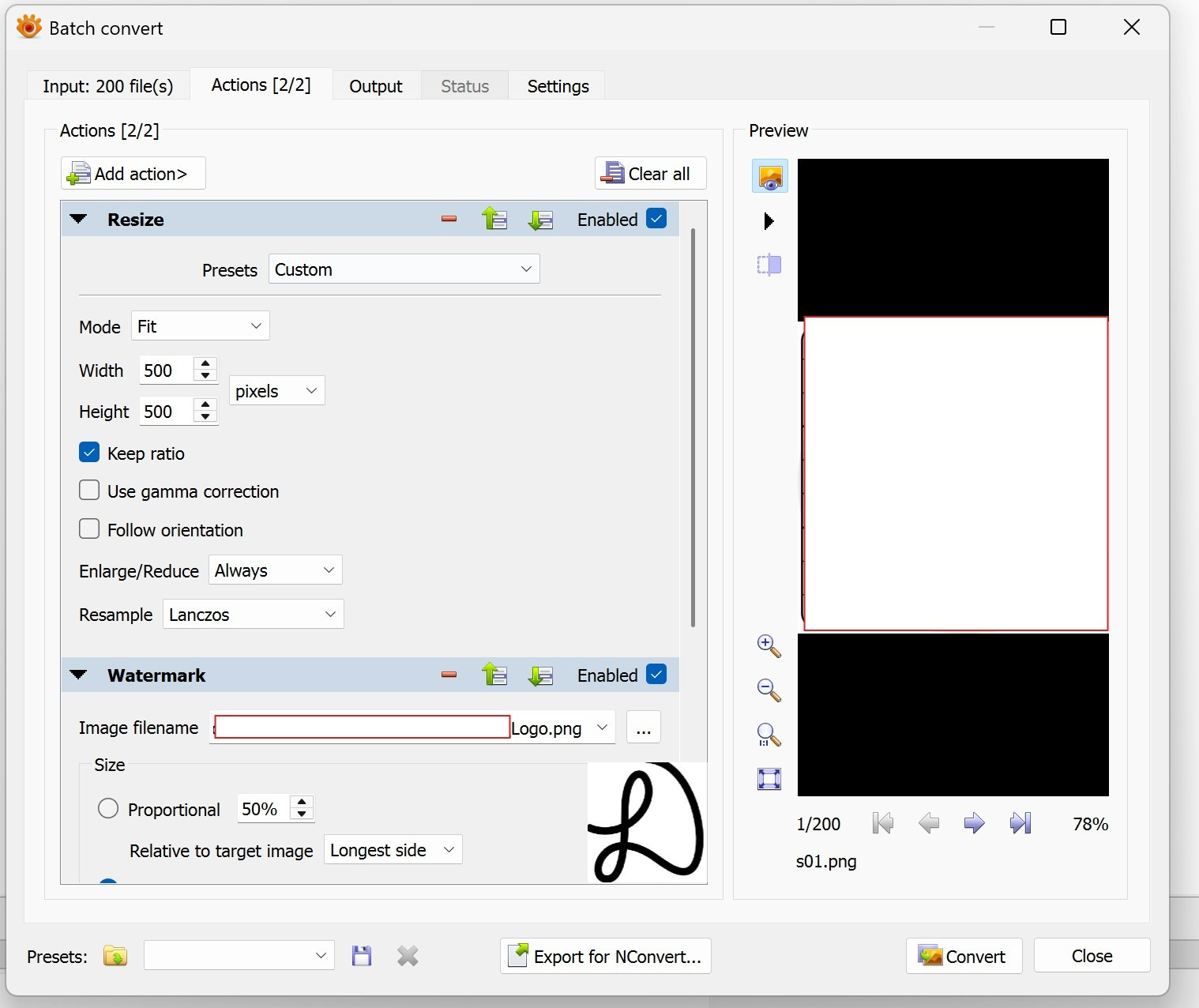
How to add images for batch processing?
For images in a folder for batch processing, just right-click the folder and select the Batch Convert to begin. There is also Batch Rename.
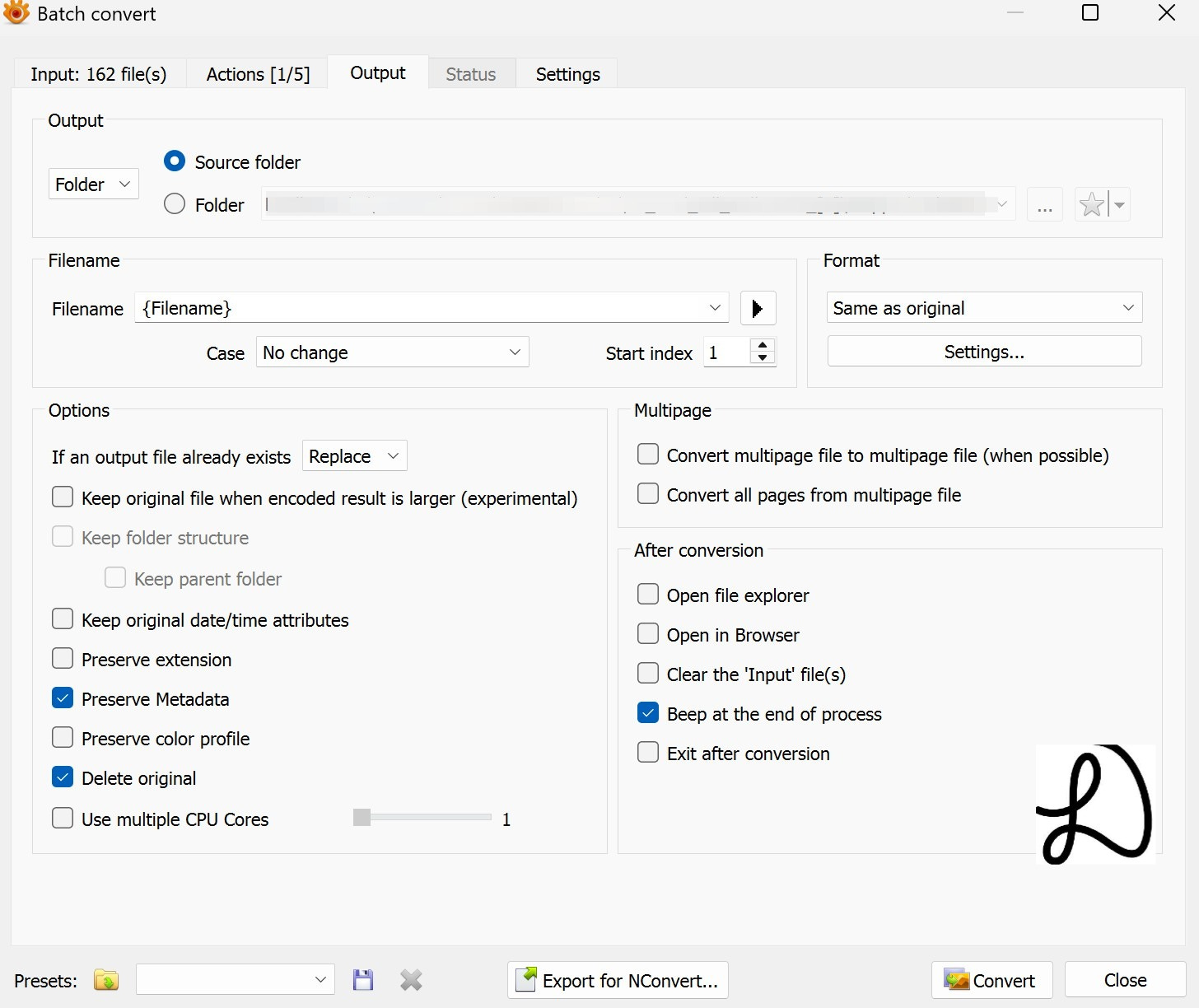
Moreover, users can easily manipulate the output filename/s and there is an option to delete the original.
XnView can be an image viewer and slideshow as well.
Summary
XnView excels in its quick or easy batch processing and output functionalities. It is free for personal, only company use have to pay a reasonable fee.
There are quite a number functionalities but batch resize and watermark before outputting to simpler filenames while deleting the originals can be useful if you have tons of images.
It saved me quite some time and effort otherwise.
Thank you to the creators of XnView.
(*^-^*)