
Useful Vim Plugins For Beginners
Optional enhancements to the Vim editor

Useful Vim Plugins For Beginners
With just these plugins, this Vim setup may boost your productivity or a more aesthetic display. This is a follow-up from the A Quick Basic Vim Tutorial Dive post.
How to install Vim plugins?
There are different plugin managers available. Vim-plug is probably the easiest. Follow the instructions to install Vim Plug here.
Just insert a plugin between these 2 lines like so:
call plug#begin()
Plug ‘morhetz/gruvbox’
call plug#end()
Type
:w
:source %
:PlugInstall
Restart Vim.
This example plugin is the Gruvbox theme, notice that it is extracted from the right part of the URL https://github.com/morhetz/gruvbox.
Where to find Vim plugins?
Vimawesome and Github. Vimawesome and Github stars will indicate the popularity.
What are some good vim theme plugins?
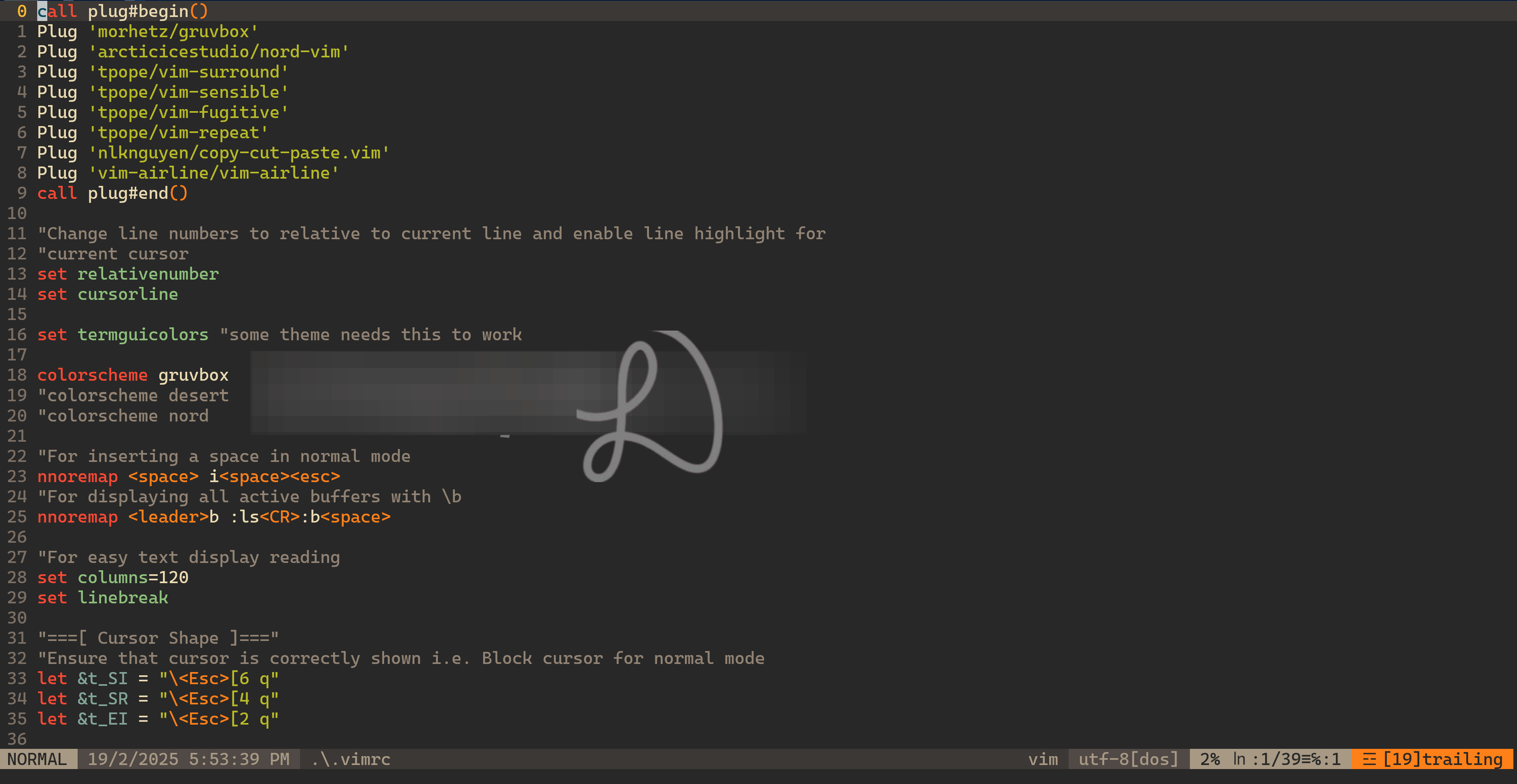
Gruvbox - this is probably the most popular of all time. Why gruvbox? The colors and background are pleasant and functional.
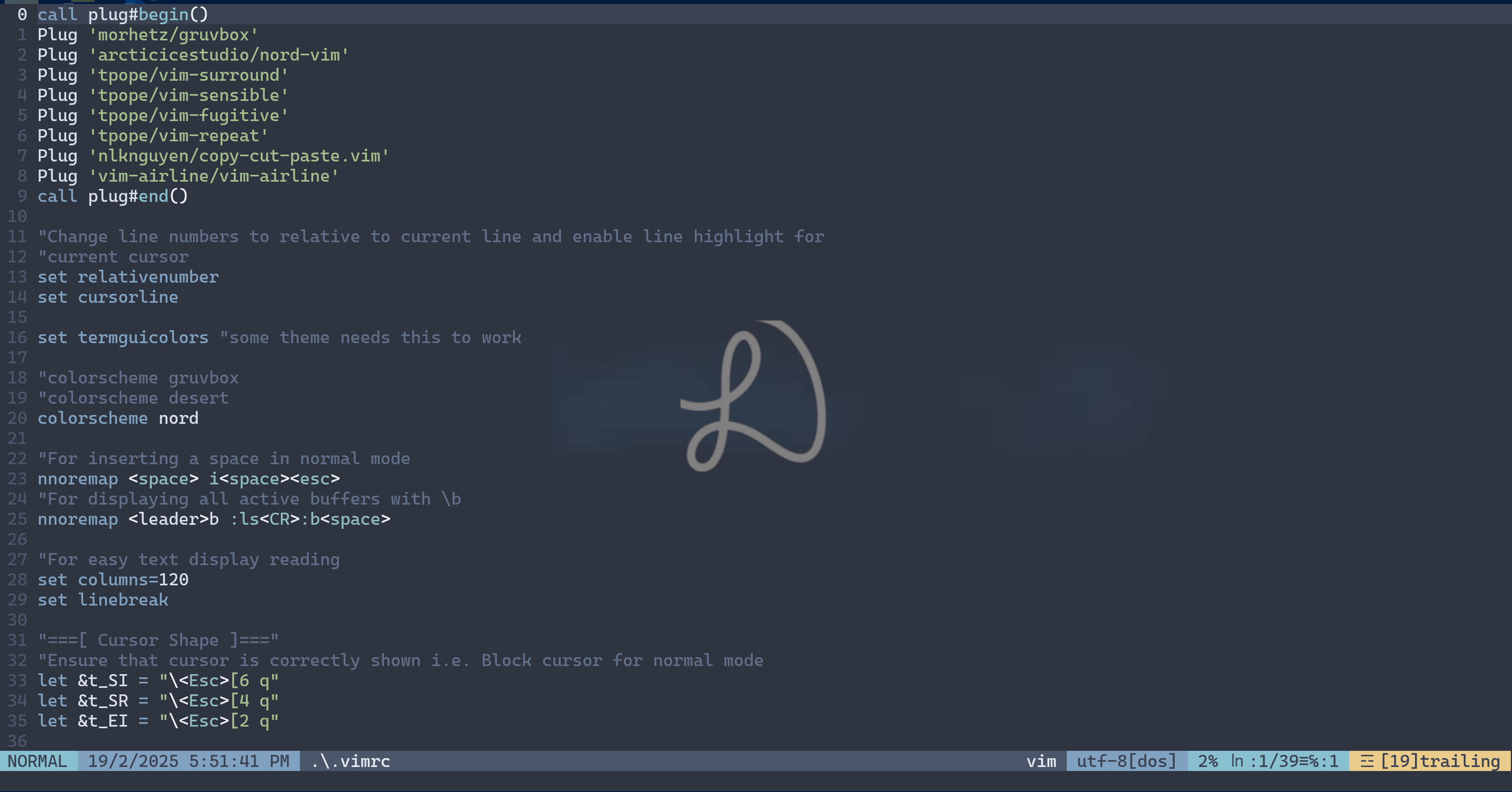
Nord is elegant. Why Nord? It is gentle on the eyes.
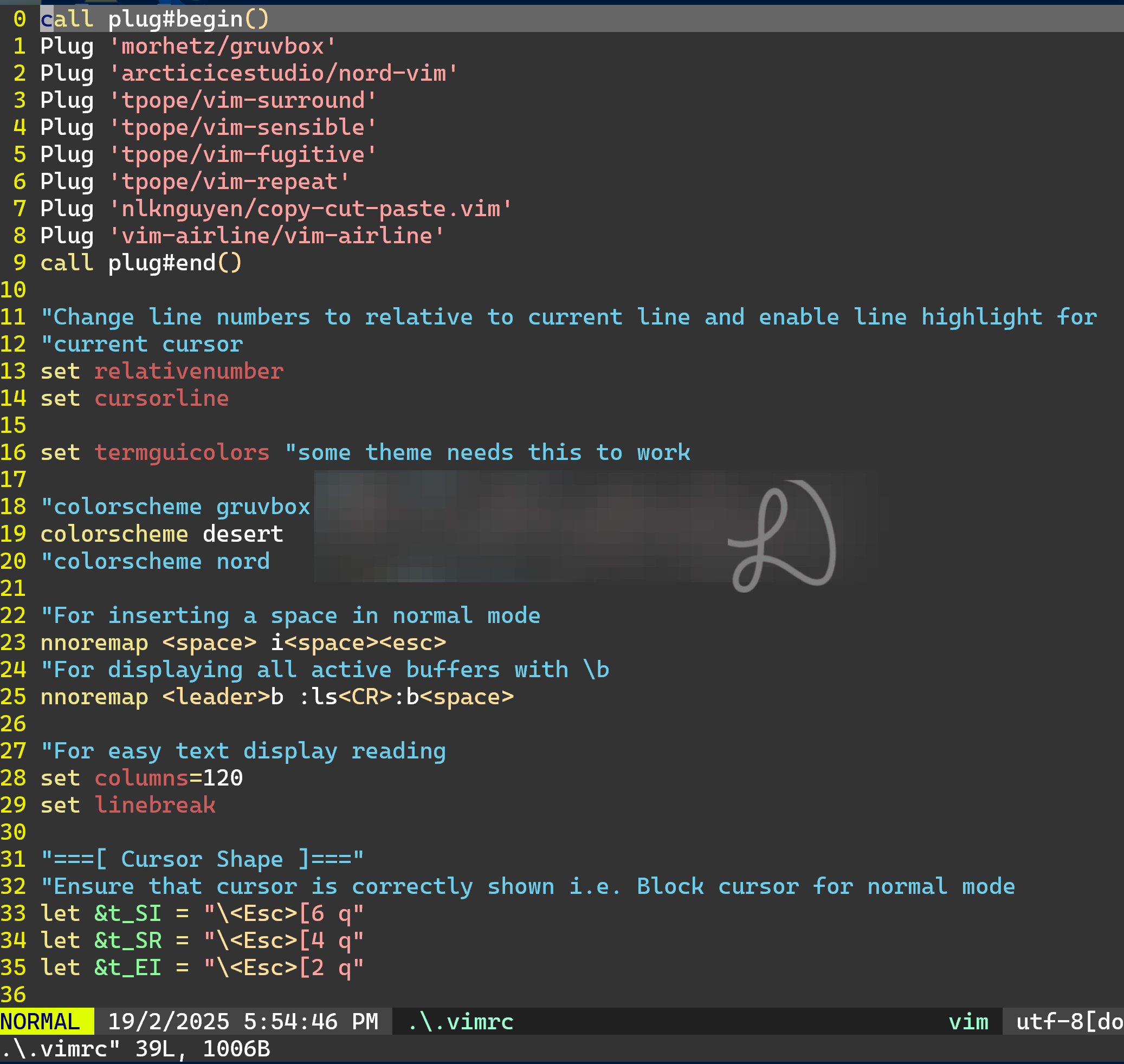
If theme plugins are not working well, a good built-in dessert is a good alternative that look similar to gruvbox. Put the following line in .vimrc file to activate the theme.
colorscheme desert
Note: These are the themes I have tested to be working and well. If a vim theme does not work, just move on and choose any other that looks acceptable, do not fixate.
What may be a plugins example in a vimrc file?
call plug#begin()
Plug ‘morhetz/gruvbox’
Plug ‘arcticicestudio/nord-vim’
Plug ‘tpope/vim-surround’
Plug ‘tpope/vim-sensible’
Plug ‘tpope/vim-fugitive’
Plug ‘tpope/vim-repeat’
Plug ‘nlknguyen/copy-cut-paste.vim’
Plug ‘vim-airline/vim-airline’
Plug ‘mhinz/vim-startify’
call plug#end()
What and why vim-surround?
If you know the power of ci” or vi’ for deleting content in enclosed double quotes and selecting content within enclosed single quotes, then you probably also wonder about manipulating the surrounding elements like add or changing or deleting “ or ’ or { } or [ ] or or even tags.
It is quite simple actually. Go to the text like “Hello world”, type cs”}, will change it to {Hello World}. Go here for more examples.
Think of i for inside and s for surround. Together, they complete each other.
What and why vim-repeat?
Have you ever tired of typing over and over again the same commands i.e. yss” (a surround vim command to add “ around a sentence? )? Well, with the repeat plugin, a dot will suffice to repeat. A useful time-saver if you have dozens or even hundreds of repeats. Otherwise, consider a macro.
What and why vim-fugitive?
Say you do a lot of vim starts and quits to perform git adds and commits and so on, wouldn’t it be helpful to be able to just type :G from vim i.e. :G add .
This is useful because you can do quite some git related commands from the vim command-line itself. Another time-saving plugin by Tim Pope. Thank you.
What and why nlknguyen/copy-cut-paste.vim?
Simply put, it works well with QC and QV in normal and edit mode to copy and paste between vim and and system buffer i.e. windows browser search field.
Why this copy, cut, and paste plugin you wonder. Without this plugin, some copy and paste may not work.
I also use the Ctrl+v to paste in insert mode what I copied from the desktop e.g. web browser.
What and why vim-airline?
This displays a useful convenient airline at the bottom of the vim screen that displays relevant information. Why airline? The information displayed can be useful for editing.
let g:airline_section_b = ‘%{strftime(”%c”)}’
If this line is added, it will also display the date and time.
What and why vim-startify?
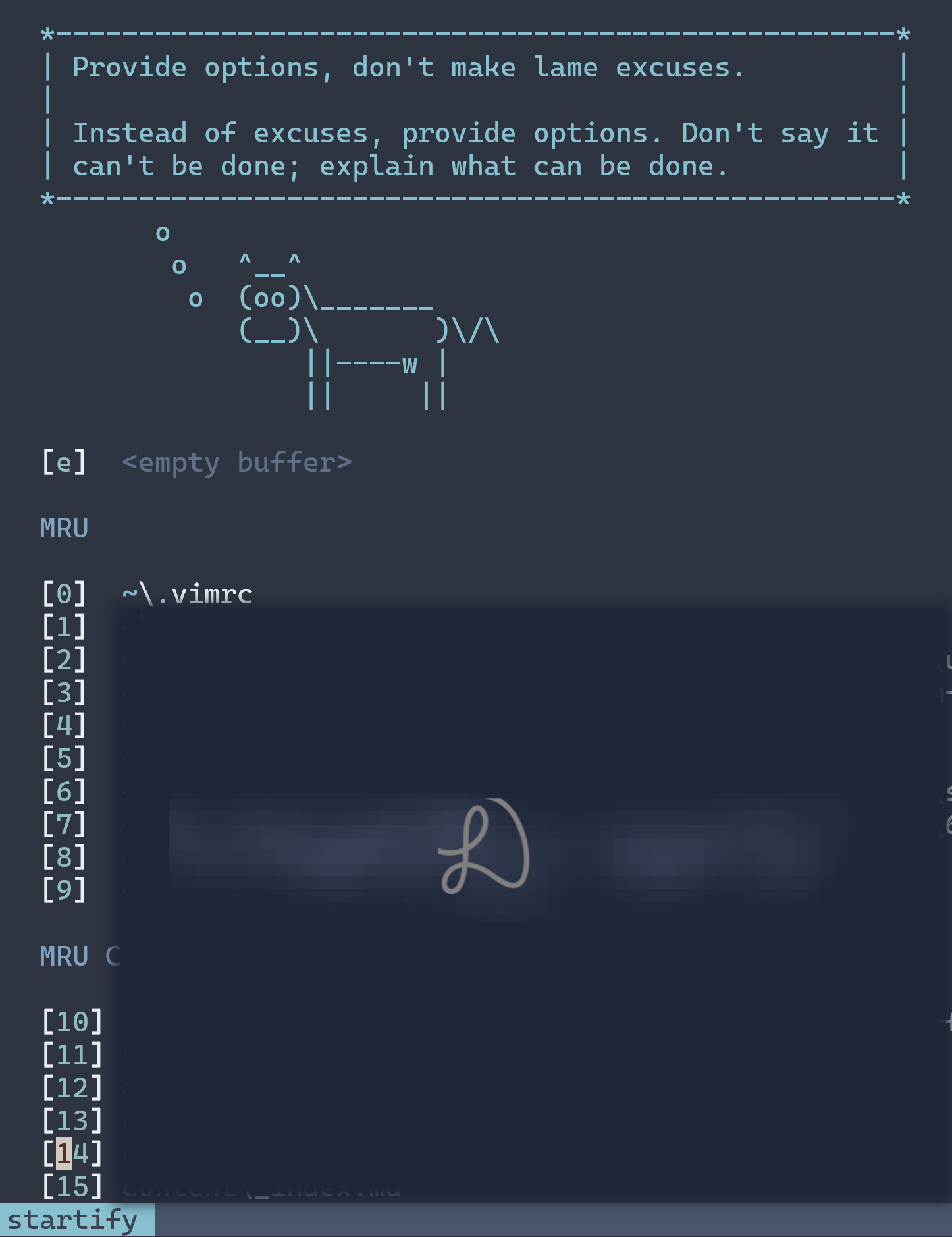
Startify is a start screen for vim and neo vim. Type vim without any filename to access it. It is convenient to see all recent files that can be opened by typing the number next to it ( the numbers above the alphabets, not the keypad). Equally or even more useful is the saving of sessions with :SSave session-name. And thereafter we can access that session from the start screen. Even file bookmarks too.
To open a new Startify screen buffer in vim, use :Startify. Close any buffer with :bd. The manual can be displayed with :h Startify.
Remember the sessions feature of Startify.
How to comment a line in .vimrc?
Put a double quote at the beginning of that line.